Creating a custom error page can help visitors understand a problem and find a useful next step. When a requested page cannot be served, the server may return an error such as 404 for a missing page. A custom page can explain the situation, provide navigation and link to support. Avoid exposing internal technical details. Include a link to a useful page on your site while preserving the correct HTTP error status.
How to create a custom error page in cPanel
- Sign in to your cPanel.
- Open the Advanced section and click Error Pages .
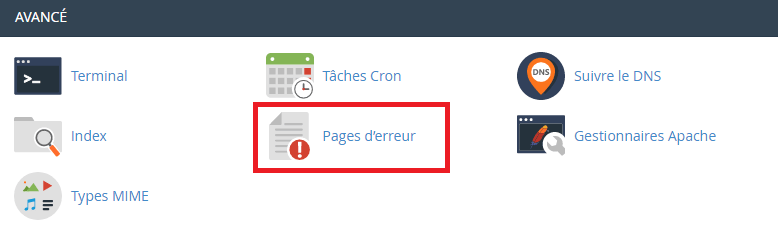
3. If you have several domains, select the one whose error page you want to configure.

4. Choose the error type, such as 404 Not Found.

5. Enter the page’s HTML and include useful navigation back to the site.
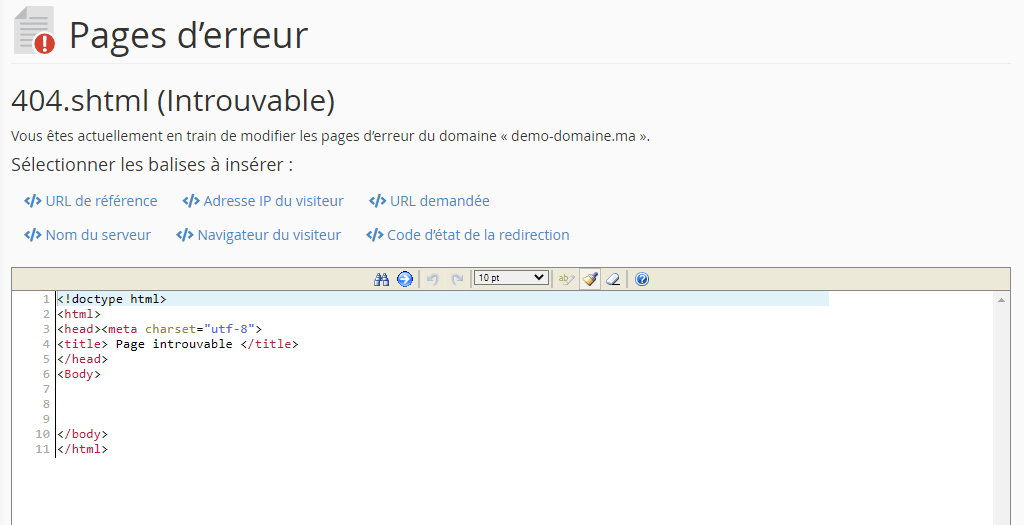
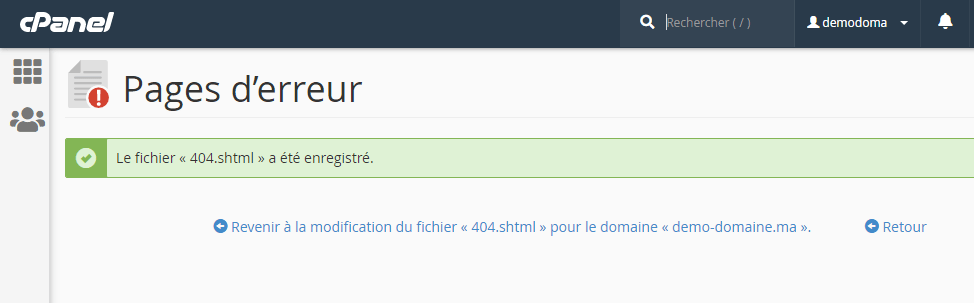
6. Click Save. The interface displays a confirmation when the change is saved.
Check the result and troubleshoot
A custom page must retain the appropriate HTTP status. Test a nonexistent URL and confirm that the server returns 404 rather than 200. This tool does not prevent application errors.
Reference documentation:
Sources accessed on October 11, 2026. Available features depend on your hosting version and options.