Before you begin
First identify the authoritative DNS servers. A change in cPanel affects public DNS only if the domain actually uses that zone.
To change the DNS servers for your domain, follow these steps: 1- Open your Client Area2- Click "Domains»
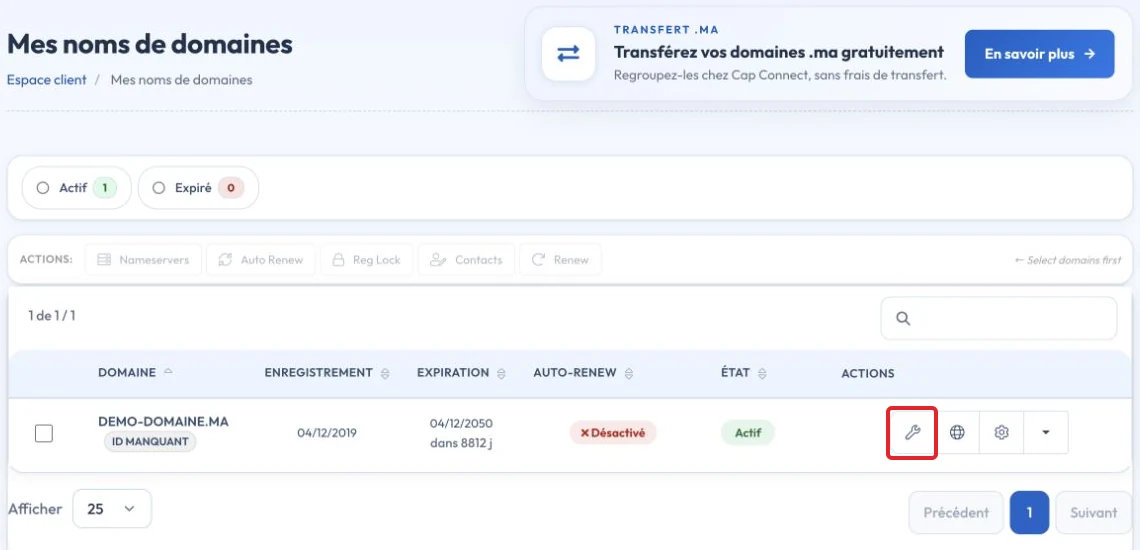
3- Click "Nameservers" on the relevant domain's row.
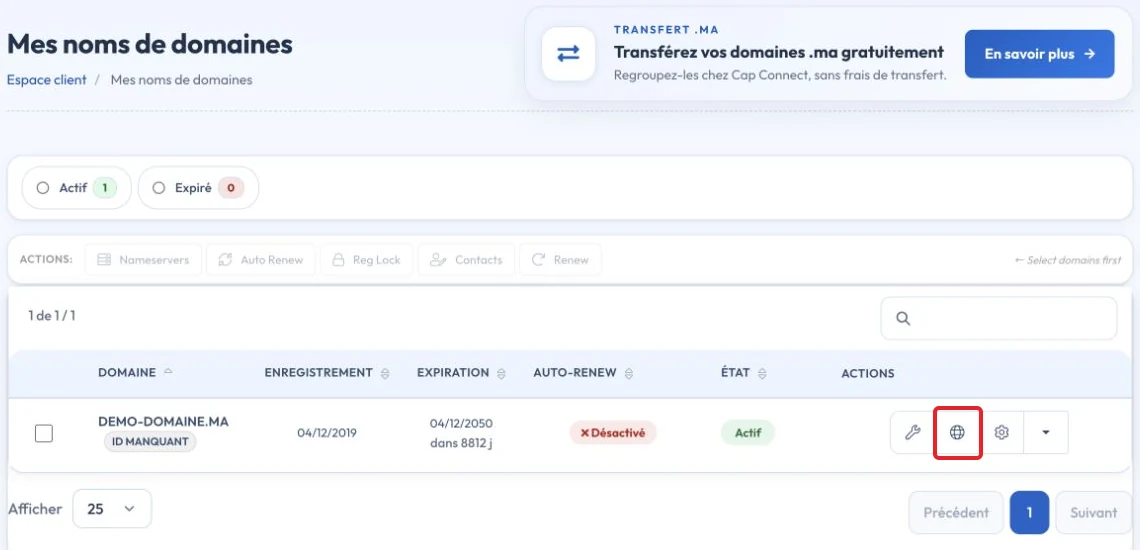
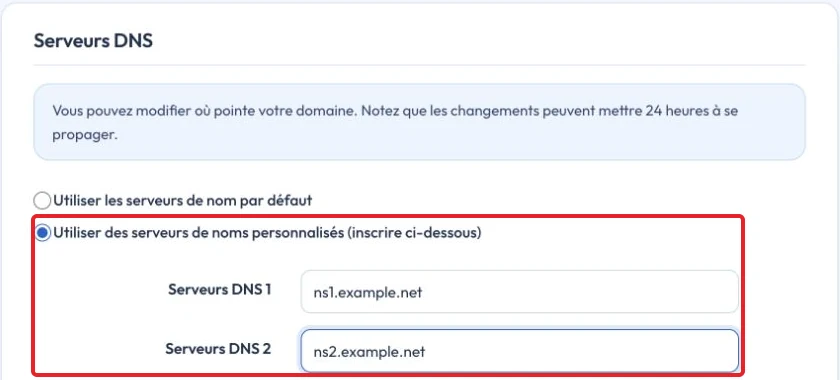
4- Select "Use custom nameservers», and replace the CAP CONNECT nameservers with the new ones.
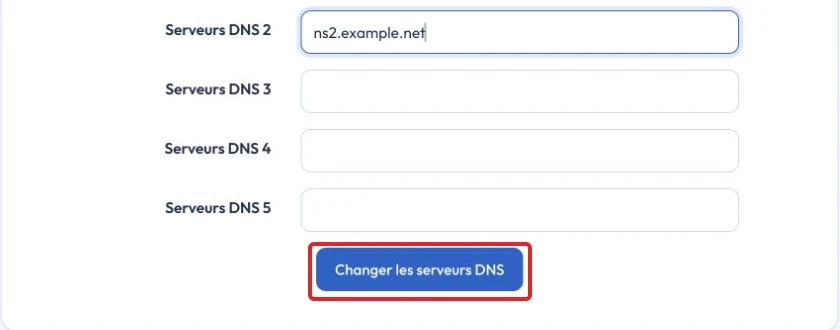
5- Click "Change Nameservers». After changing your domain nameservers , allow time for propagation before the domain uses the new hosting. The described process may take up to 24 hours, while actual timing depends on cached DNS values.
Video tutorial
Check the result and troubleshoot
Keep the previous values before making changes. An A record contains an IPv4 address, AAAA an IPv6 address and CNAME a hostname. After saving, check the DNS response and let cached values expire according to the TTL; there is no fixed delay for every change.
Reference documentation:
Sources accessed on October 11, 2026. Available features depend on your hosting version and options.