Before you begin
Add the domain to the relevant platform and note the DNS values provided for your account.
You can connect your domain to youcan.shop using DNS pointing with the supplied CNAME records.
What is YouCan?
YouCan is an ecommerce platform for creating an online store and offering products or services. It provides tools for managing and promoting the store.
How to connect a domain to YouCan using CNAME
1. Sign in to your client area, then click Domains.
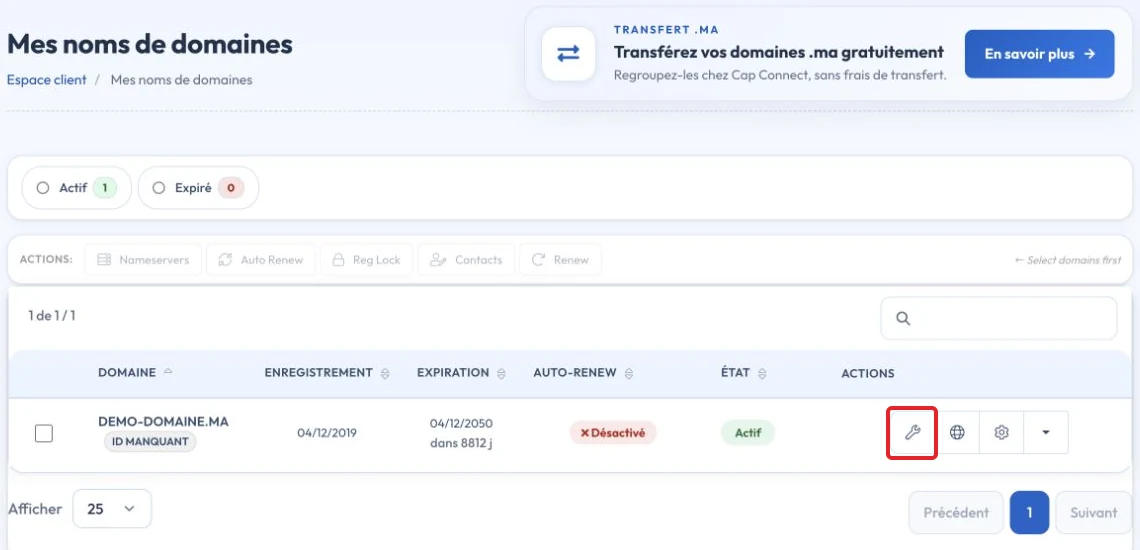
2. Click the configuration icon next to the domain.
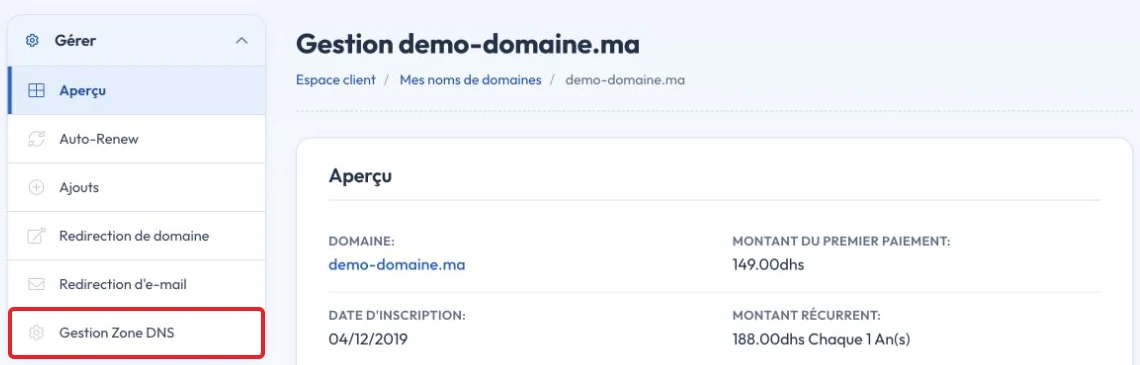
Alternatively, click the menu on the right, then DNS Zone Management
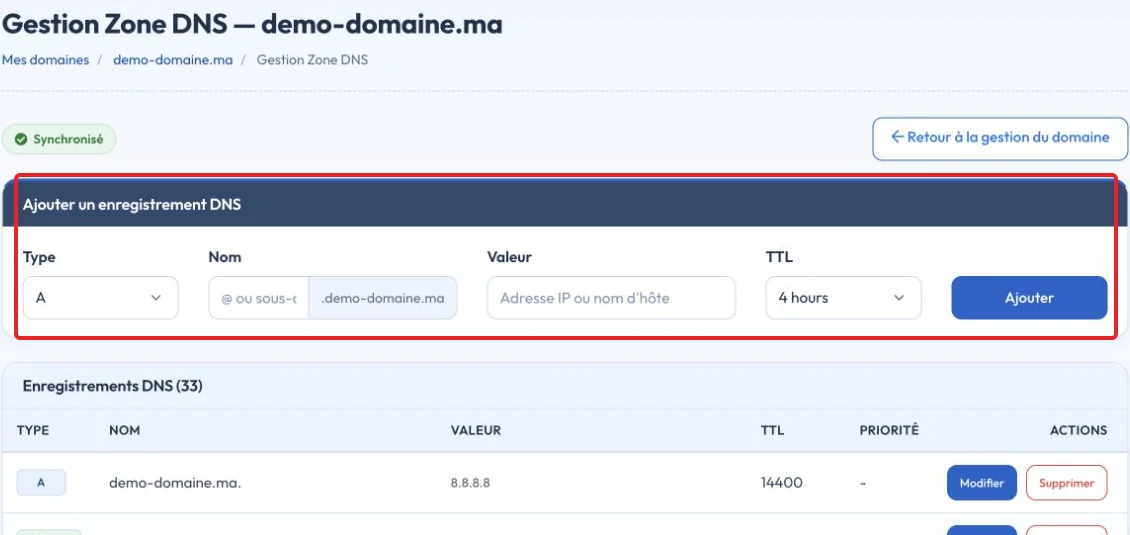
- Click Yes, create a DNS zone or Yes, Create to create a zone if needed and if this provider hosts your authoritative DNS.
- Scroll to Quick Configuration then click Apply DNS Configuration for YouCan
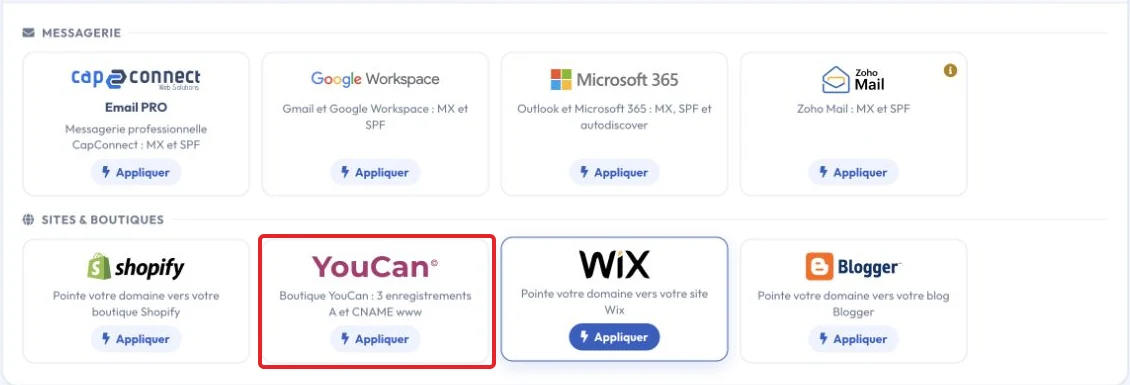
Compare the applied values with the current instructions in your YouCan account and verify the connection. DNS changes depend on TTL and cached records; do not assume the site is connected until the test succeeds.
Another method?
Note: You can also connect a domain to YouCan using nameservers.
Check the result and troubleshoot
Do not copy an IP address or verification token from an old screenshot. Edit the zone actually used by the nameservers and retain email records. Check the domain and HTTPS on the platform after updating.
Reference documentation:
Sources accessed on October 11, 2026. Available features depend on your hosting version and options.