Ordering a domain from CAP CONNECT is easy. Follow these steps to register it: 1- First, visit our website:
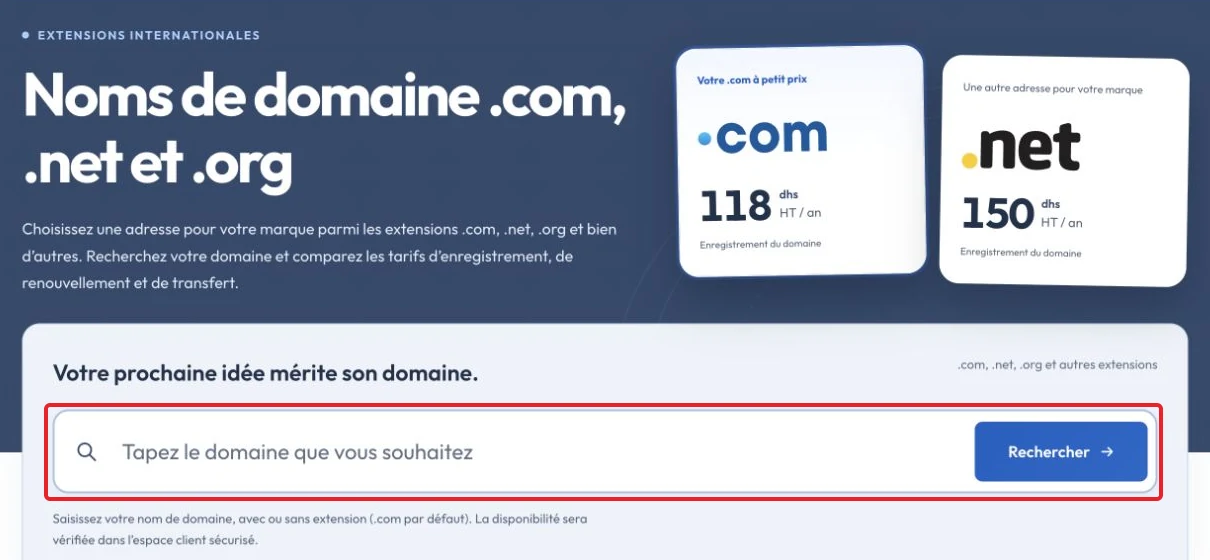
Order a domain name
2- Enter the domain you want to register in the field and click "Search".
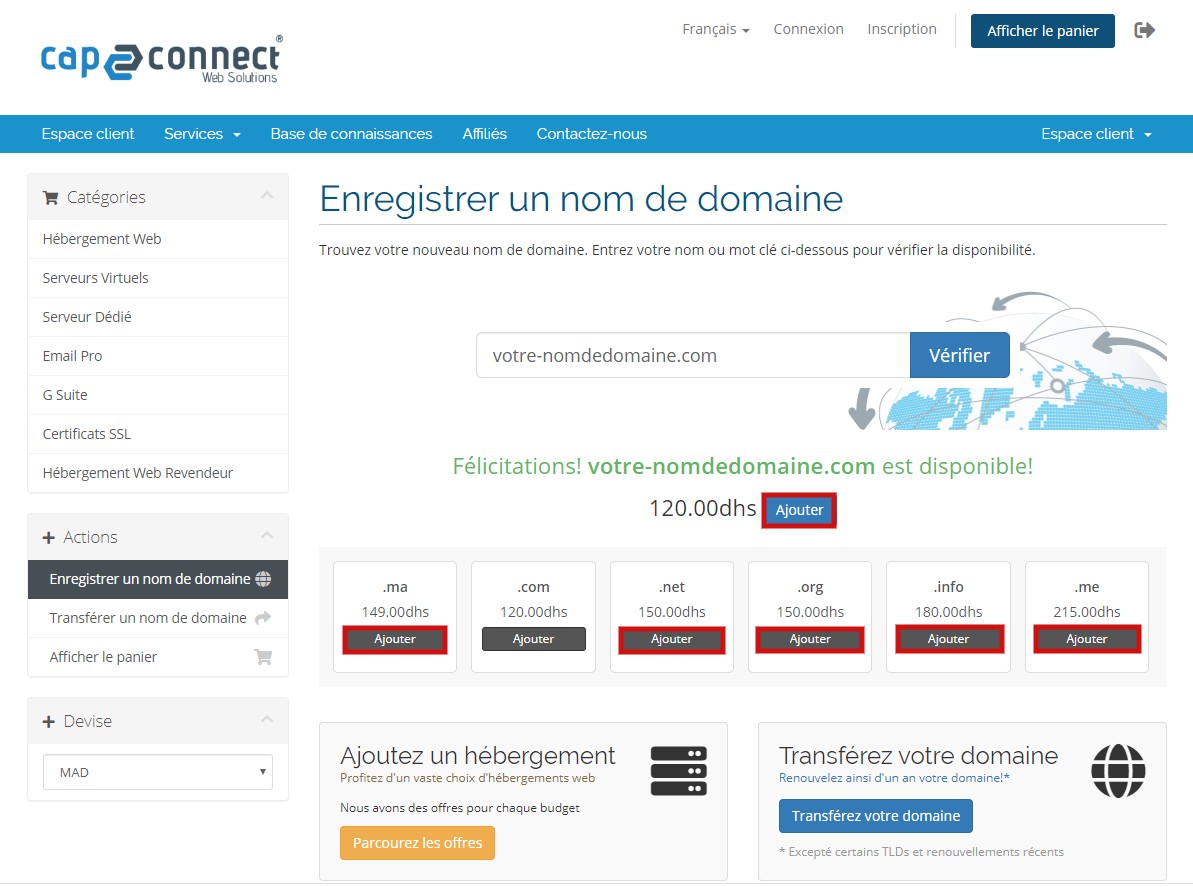
3- If the domain is available, click "Add» Note: To order another extension, click Add.
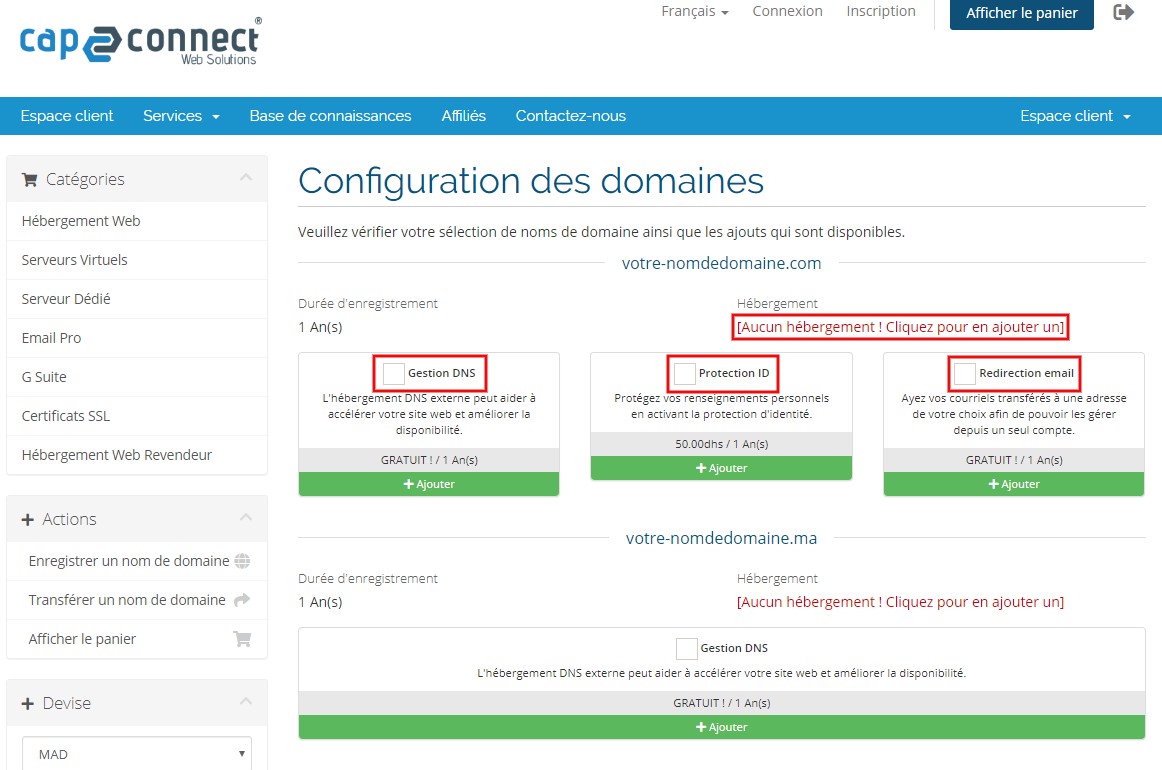
When finished, click "Checkout" 4- Select the add-ons for your domains, such as DNS management, ID protection and email forwarding. To add hosting, click [No hosting! Click to add hosting]
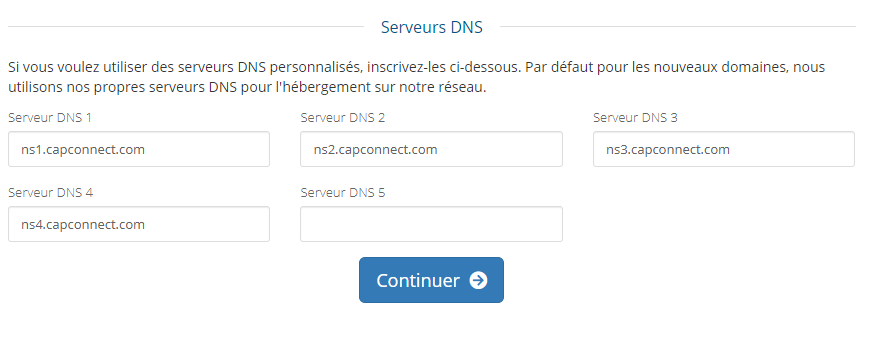
If you already have hosting, enter its nameservers in the Nameservers fields, then click "Continue»
5- Review the order and click "Place Order»

6- If you are an existing customer, click Already Registered and sign in with your email and password. For your first order, enter your personal contact details.
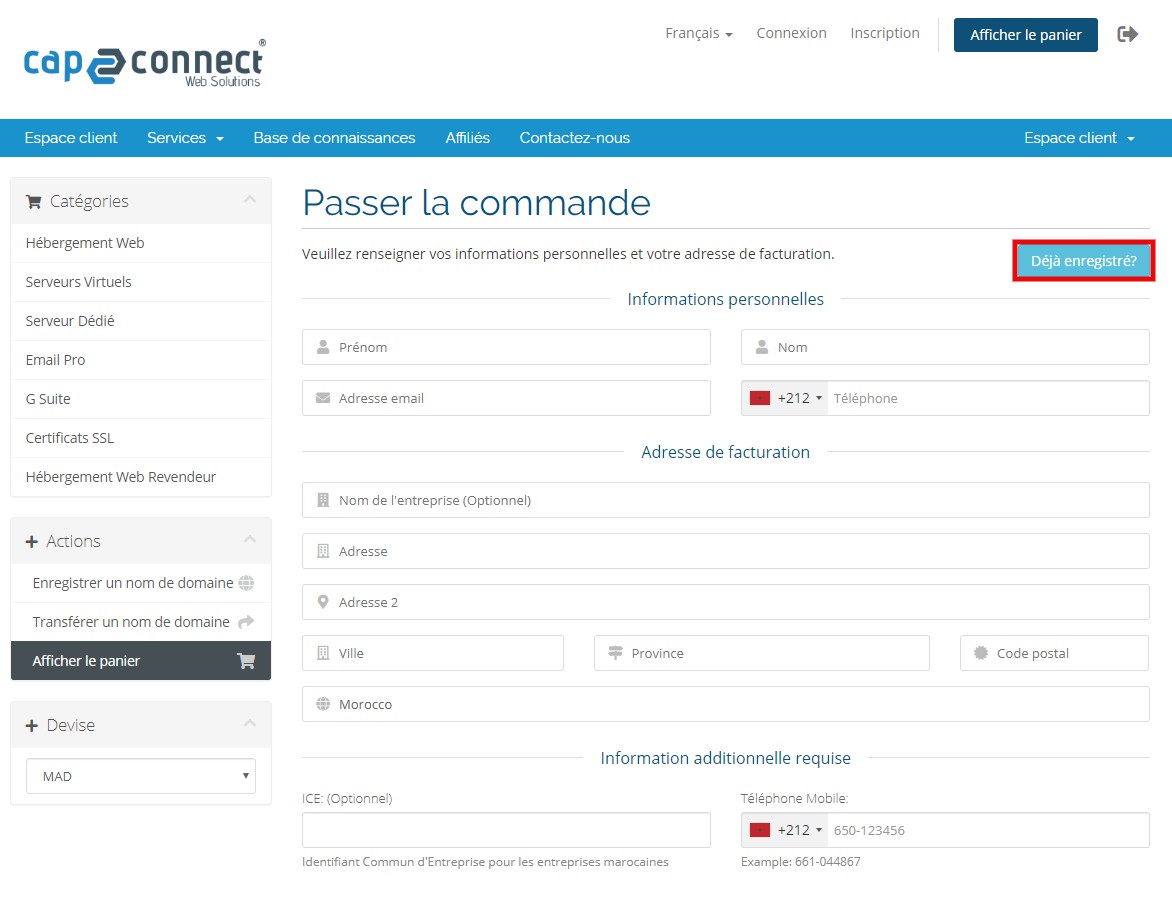
Check your details, select a payment method, confirm acceptance of the terms of use and click Complete Order.

After payment, the domain is registered within a few minutes according to the order process. NOTE: Check the domain's spelling before paying: once registered, a refund cannot be requested under the described policy.
Check the result and troubleshoot
After confirming, check the service status or confirmation message. If the option is unavailable, open a ticket identifying the service and expected result, without sending a password.