You can connect a custom domain to a Blogger blog by following the steps below. Before starting, register a domain with the extension .ma or another extension.
How to connect a domain to Blogger
Complete the setup both in Blogger and in your client area.
In your Blogger
1. Click Settings>Basic>Publishing>Custom Domain

2. Enter the custom address, such as www.example.com, then click Save.

If you see the error We have not been able to verify your authority to this domain. Error 12. Blogger has not yet verified your control of the domain.

Blogger supplies two CNAME records. For the standard record, Name is www and Destination is ghs.google.com. The other CNAME is specific to your blog and Google account. 4. Copy both records exactly as supplied.
In your client area at CAP CONNECT
5. ClickDomains»
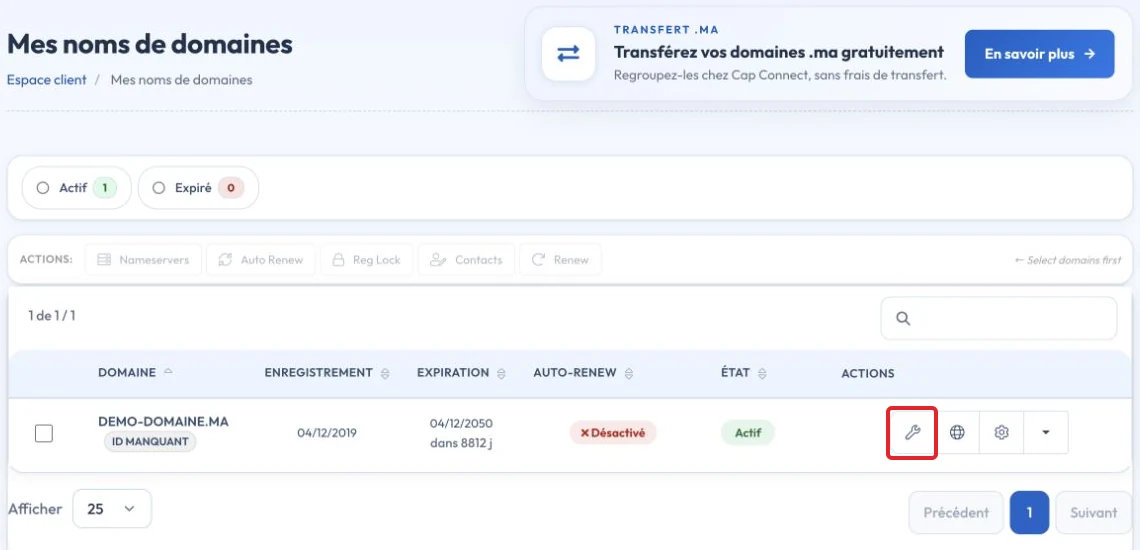
6. Open the relevant domain and click its configuration icon
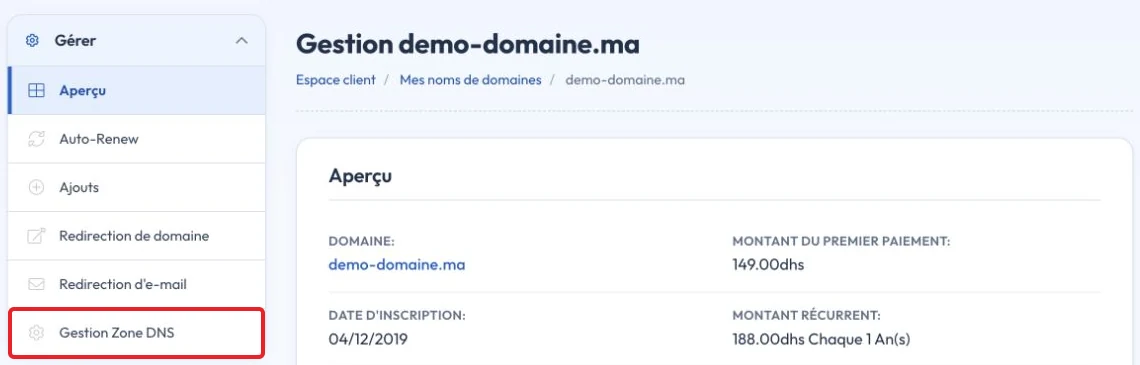
Alternatively, click the menu on the right, then DNS Zone Management
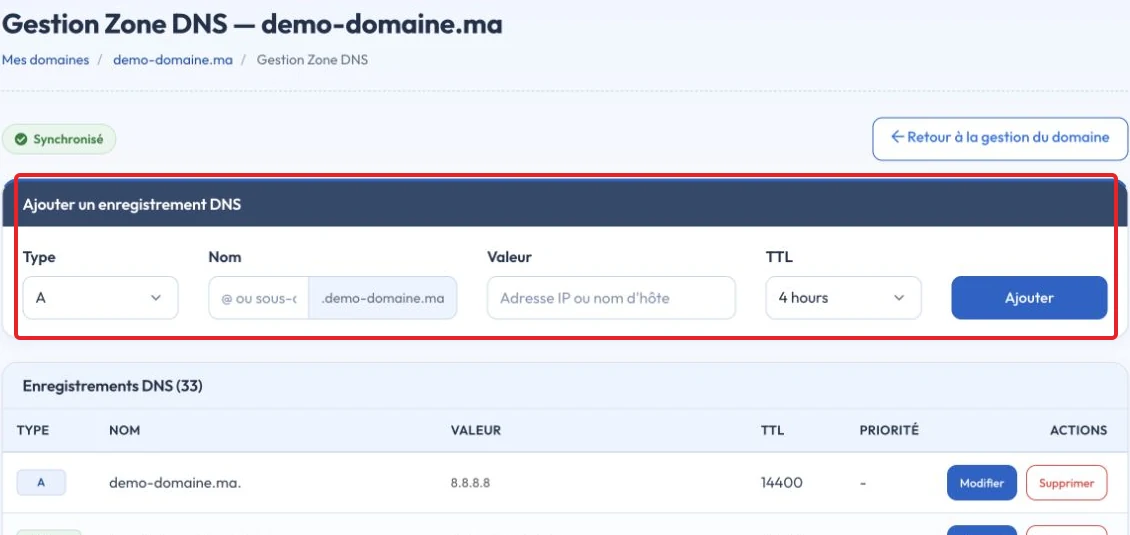
- If the DNS zone does not exist, click Yes, Create, provided CAP CONNECT hosts your authoritative DNS
- Scroll to Quick Configuration and click Apply DNS Configuration
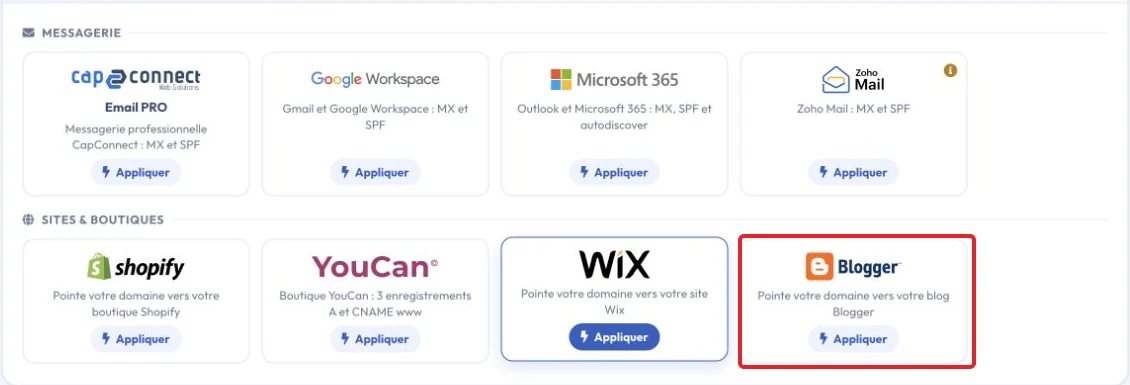
Your original Blogspot address can redirect to the custom domain after setup. If verification fails, check the actual authoritative records and the account-specific CNAME rather than repeatedly resetting the configuration. Note: DNS changes depend on TTL and cached records; there is no universal fixed propagation time.
Video tutorial
Check the result and troubleshoot
The verification CNAME can be unique to your blog. Copy it exactly and do not replace it with an example. After verification, check the root-domain redirect, chosen subdomain and HTTPS.
Reference documentation:
Sources accessed on October 11, 2026. Available features depend on your hosting version and options.