Before you begin
Add the domain in Shopify’s store settings first and preserve the DNS records used for email.
Shopify lets you create an online store and connect a custom domain. To connect your domain, follow the procedure below. Before starting, register a domain and add it in Shopify.
How to add a domain in Shopify
1. Open your Shopify administration and its domain settings underDomains».

2. SelectConnect existing domainto connect the domain managed through CAP CONNECT.

3. Enter the domain you want to connect and clickNext».

How to connect the domain to Shopify
Open your Client Area
ClickDomainsto access your domains.
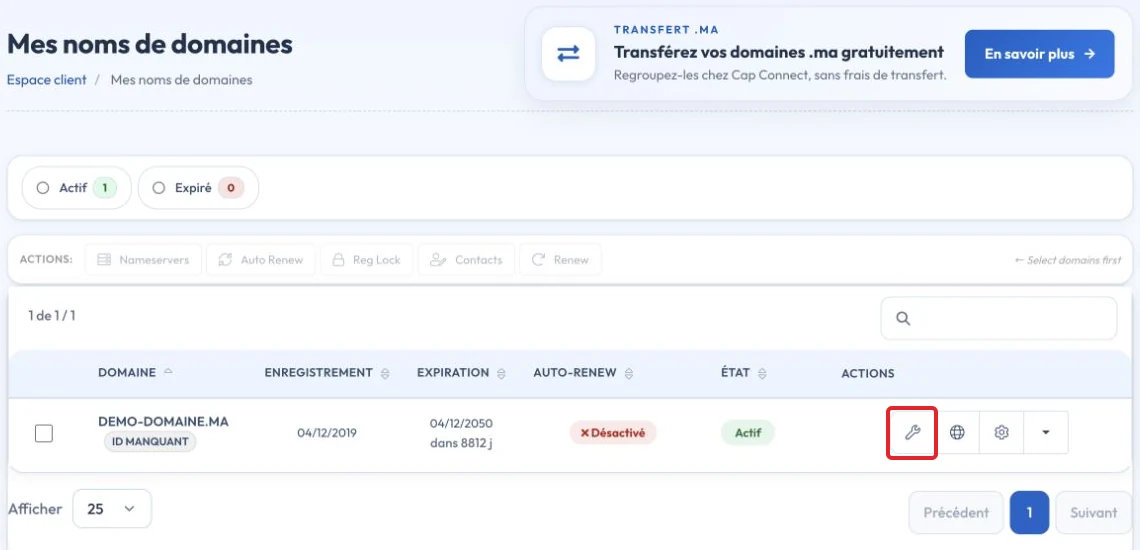
3. Click the configuration icon next to the domain.
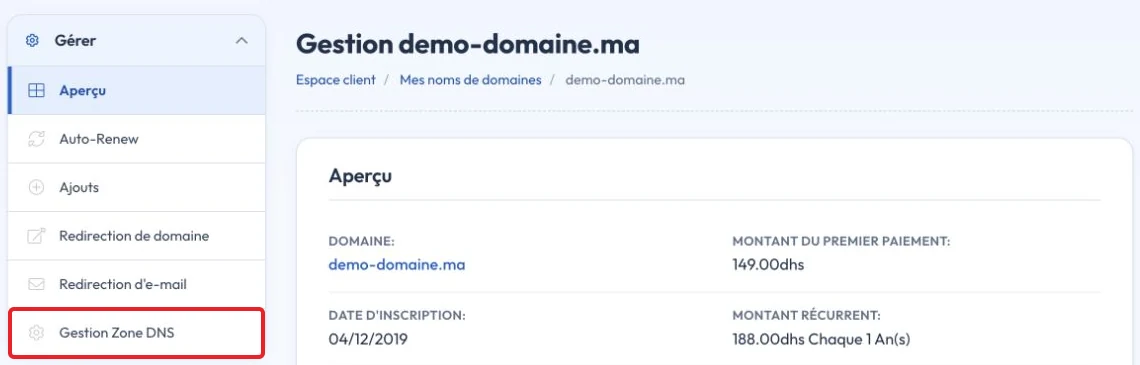
Alternatively, click the menu on the right, then DNS Zone Management
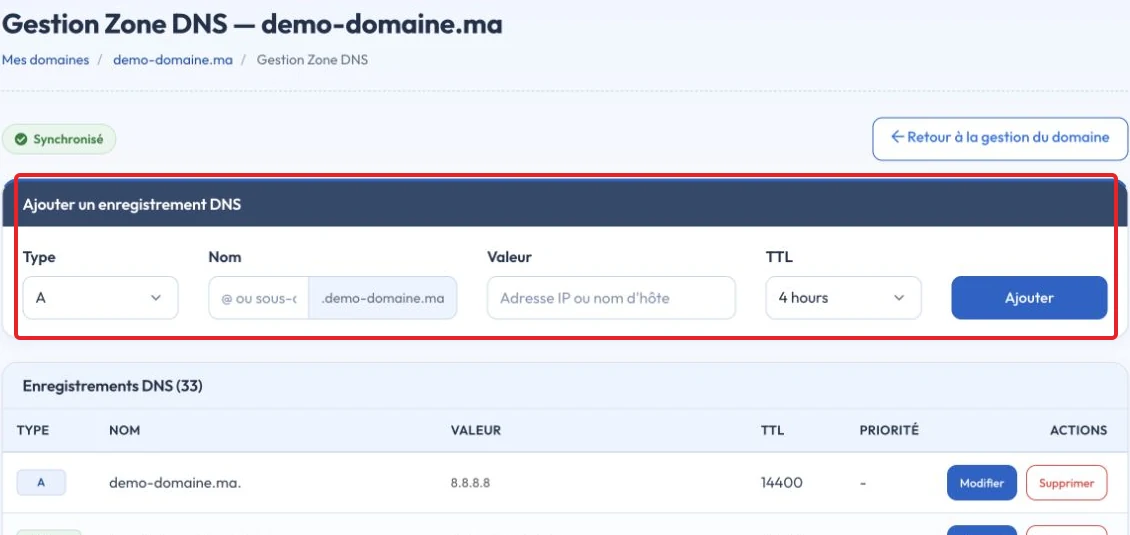
5. Scroll to Quick Configuration and click Apply DNS Configuration

Video tutorial
Check the result and troubleshoot
Follow the DNS values displayed for your Shopify store. Changing website records does not require deleting MX records. Check the connection and HTTPS certificate in Shopify afterward; domain renewal remains with its provider.
Reference documentation:
Sources accessed on October 11, 2026. Available features depend on your hosting version and options.