Enabling ID protection can limit the public display of domain contact details where the registry and registrar support the service. You may order ID Protection during registration if available. NOTE: Publication and privacy requests for .ma domainsfollow the registry rules and those ofANRT. Article 51 of decision 02/2024 permits requesting non-publication of personal data through the provider. This differs from a commercial ID Protection addon.
Enable ID protection during registration
After choosing a domain, openDomain Configuration.
Select ID Protection if offered, then complete the order by clicking Continue.

Enable ID protection for an existing domain
If you did not add the option initially, check whether it can be ordered from the Client Area:
Sign in to your Client Area.
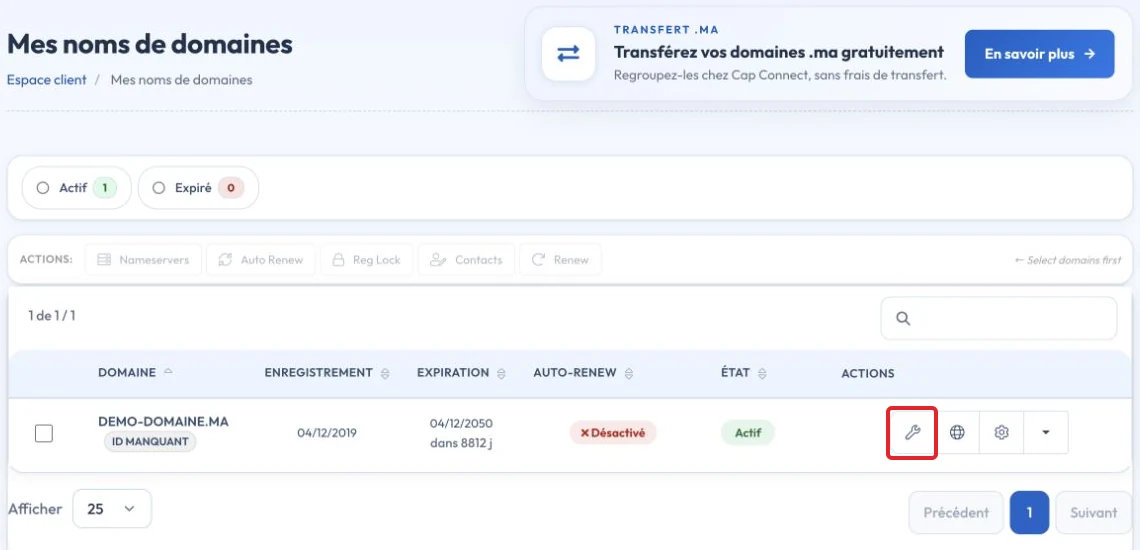
Open the domain for which you want the option.

In the Manage menu on the left, select Addons then clickBuy Now”.

Complete the purchase if the option is available.
After activation, verify the domain’s public registration-data display through the appropriate lookup service. Processing times and visible fields depend on the registry and registrar.
Key points
For generic extensions, RDAP has replaced WHOIS as the reference protocol. Personal information may be redacted. A lookup alone does not prove domain ownership or replace access to the registrant's account.
Reference documentation:
- Registration Data Access Protocol (RDAP)
- EPP Status Codes | What Do They Mean, and Why Should I Know? - ICANN
Sources accessed on October 11, 2026. Available features depend on your hosting version and options.