As part of the latest regulatory update by ANRT (Agence Nationale de Réglementation des Télécommunications) under decision ANRT/DG/N°02/2024, all holders of .ma domain names are now required to submit the identity document of the domain registrant. This new rule applies to all .ma domain registrations, renewals, and ownership changes.
The primary goal of this mandatory identity verification for .ma domains is to enhance the security and transparency of domain management in Morocco. This measure helps prevent domain fraud, abuse, and unauthorized transfers, ensuring that all WHOIS registrant data is accurate and compliant with Moroccan telecommunications law.
Table of Contents
Why Is Identity Verification Required for .ma Domains?
To comply with the ANRT regulations, a secure and official document submission process has been implemented. This process guarantees that submitted identity documents are authenticated and protected, safeguarding registrant information.
Identity verification is not optional; it is required for:
-
New .ma domain registrations
-
Renewal of existing .ma domains
-
Changes in domain ownership
Failure to complete this verification may result in domain suspension, deactivation, or refusal of registration.
Required Documents For Identity Verification
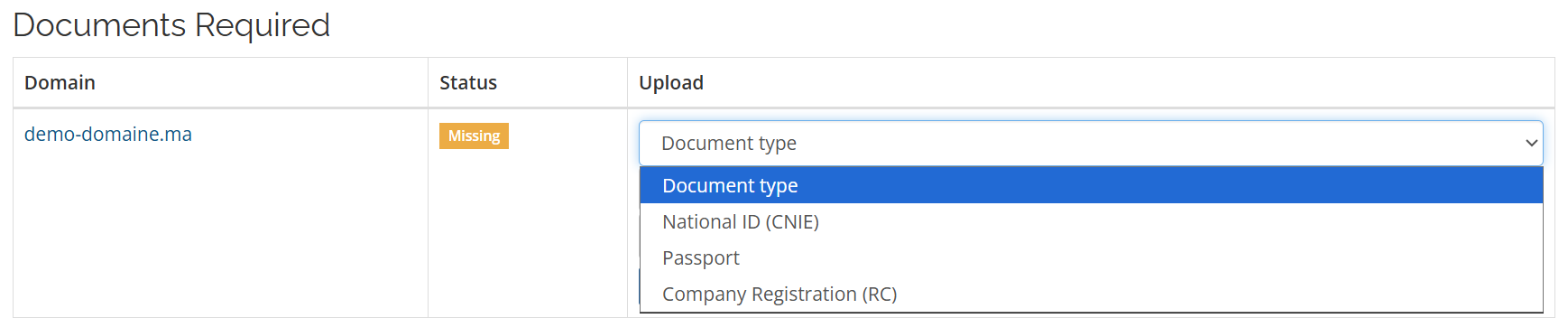
Please submit one valid and readable document based on your legal status:
1. Moroccan Individuals
-
National ID (CIN), or
-
Valid residence card
2. Foreign Individuals
-
Valid passport
3. Legal Entities / Companies
- Commercial Register (Model 7), or
- ICE Certificate, or
- Any equivalent official legal document
How to Submit Your Document
All documents must be submitted through your client area.
1.Log in to your Cap Connect client area, then click on Domains in the main menu and select .MA Identity Verification

Or navigate directly using the following link.
2. Scroll down to the form
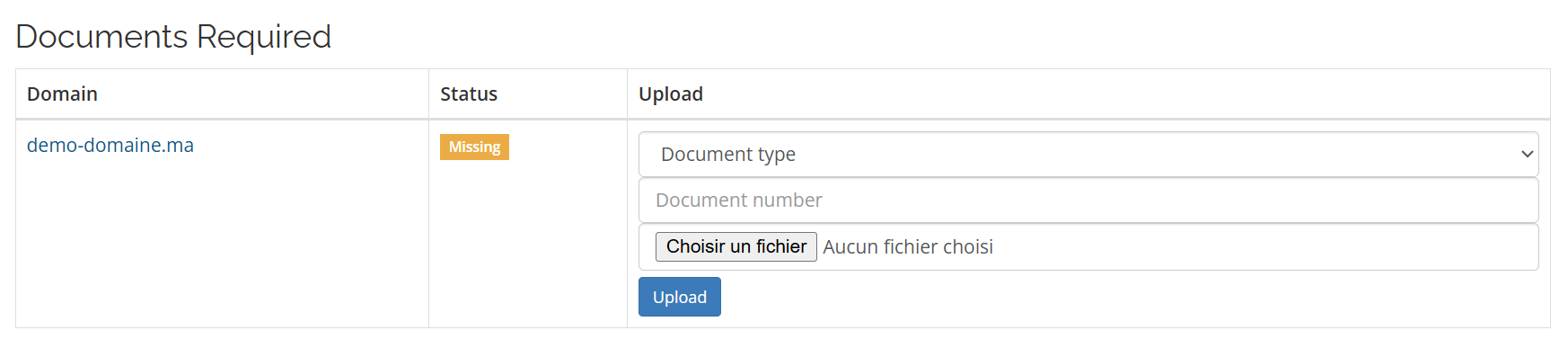
- From the drop-down menu, select the type of document to upload. The document should correspond to the registrant’s name.
- Enter the document number in the designated field, using the corresponding number from your uploaded document :

- ID number for CIN/Passport
- ICE number or RC number for the Commercial Register
5.Click “Select a file” to browse and choose your document. Once selected, click “Upload” to submit it.

Important Notice
Failure to submit the required document within the specified timeframe may result in the inability to complete the domain registration, suspension or deactivation of the domain name, and a negative impact on the domain’s operational status. These measures are enforced in strict compliance with the applicable ANRT regulations.