FTP and SFTP refer to the following: File Transfer Protocol and Secure File Transfer Protocol, which are file transfer protocols. These transfers occur between two parties: a client and a server, where the server executes requests made by the client.
Table of Contents
FTP Server
This server is responsible for receiving requests from clients, analyzing their rights to determine if they are sufficient before deciding whether their request can be executed. Therefore, this server allows the FTP client to access certain files. More simply explained, the server allows you to send files from your computer to your website or from one computer to another.
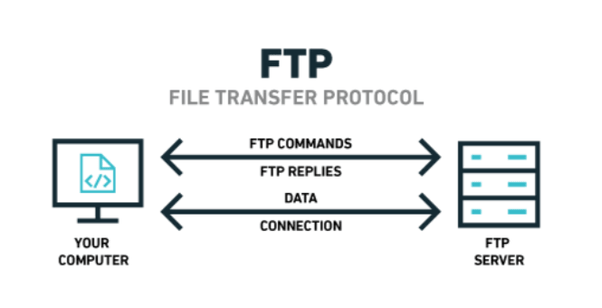
Differences between File Transfer Protocol and HTTP
- At first glance, it may seem that the two protocols serve the same purpose. Initially, the only protocol used was the file transfer protocol. With the advent of HTTP, browsers that allow you to download directly, and SFTP, the traditional File Transfer Protocol is used less and less. However, there are certain specific cases where you must use FTP to download files more securely. This protocol therefore requires a password to access.
- The second difference between these two protocols is that HTTP, which uses port 80, is used to access websites, allowing clients to request specific pages without needing passwords. In this case, the clients are usually web browsers where the user submits their request.
- On the other hand, the File Transfer Protocol, which uses port 20 for data transmission and port 21 for control command transmission, allows files to be transferred from one host to another or from a computer to its website. This means that a user must create an FTP client to make their request.
- Unlike FTP, SFTP uses port 22 for command transmission.
Differences between FTP and SFTP
The File Transfer Protocol is a practice that allows files to be transferred from one host to another. However, this protocol can encounter security issues during transfers, resulting in data loss due to an attack during the transfer.
It was therefore necessary to introduce a new secure protocol to address this problem: the Secure File Transfer Protocol, which provides a secure channel during the execution of transfers. SFTP uses the SSH protocol responsible for establishing a secure connection between the server and the client.
Given all the advantages of the SFTP service, it is increasingly used in IT, leading to the gradual disappearance of the File Transfer Protocol.