The Email Forwarder feature allows you to automatically redirect emails sent to one email address to one or more destination email addresses. This is useful when you want to receive emails without creating or managing a full mailbox, or when multiple recipients need to receive the same messages.
An email forwarder does not store emails. It simply passes incoming messages to the specified destination address(es).
This service is available for all domain names using our nameservers :
ns1.capconnect.com
ns2.capconnect.com
ns3.capconnect.com
ns4.capconnect.com
Table of Contents
Key Definitions
Email Forwarder
A rule that redirects incoming emails from a source address (e.g. info@yourdomain.com) to one or more destination addresses (e.g. contact@gmail.com).
Source Address
The email address on your domain that will receive incoming messages and forward them.
Destination Address
The external or internal email address where forwarded emails will be delivered.
Mailbox vs Forwarder
-
Mailbox: Stores emails on the server and requires login credentials.
-
Forwarder: Does not store emails; it only redirects them.
Common Use Cases
-
Forwarding contact@yourdomain.com to a personal Gmail or Outlook address
-
Sending copies of emails to multiple team members
-
Using professional domain emails without purchasing mailbox storage
-
Redirecting old email addresses to new ones
Prerequisites
Before creating an email forwarder, ensure that:
-
Your domain name is active and properly configured.
-
Your domain is using our nameservers
-
The destination email address is valid and able to receive emails.
How to Create an Email Forwarder
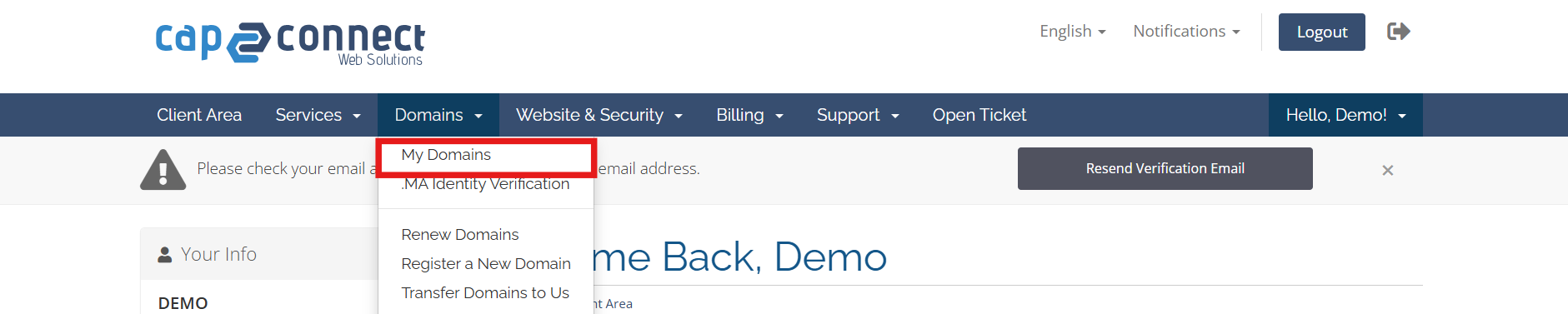
2.Navigate to your domains
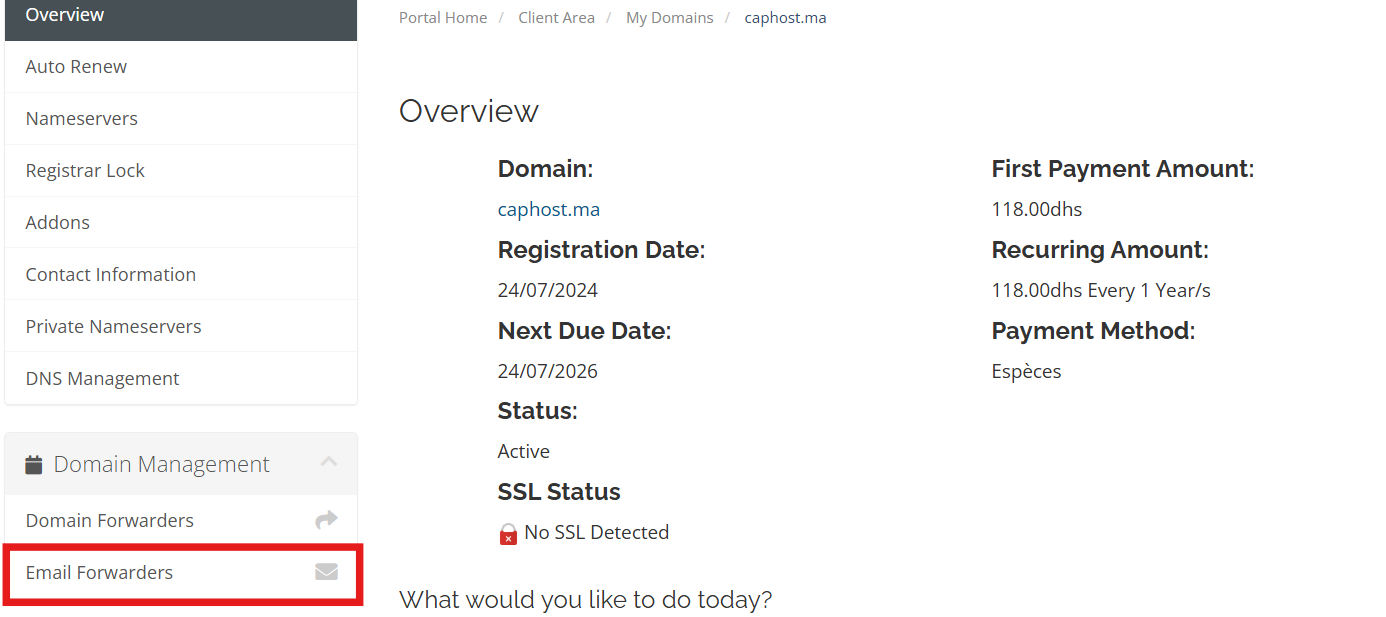
3.Select the domain for which you want to set up an email forwarder, then click on “Email Forwarders” in the left-hand menu.
4.Specify the forwarder email address and the destination email address.
For multiple destination emails, separate each address with a comma, as shown in the screenshot below.
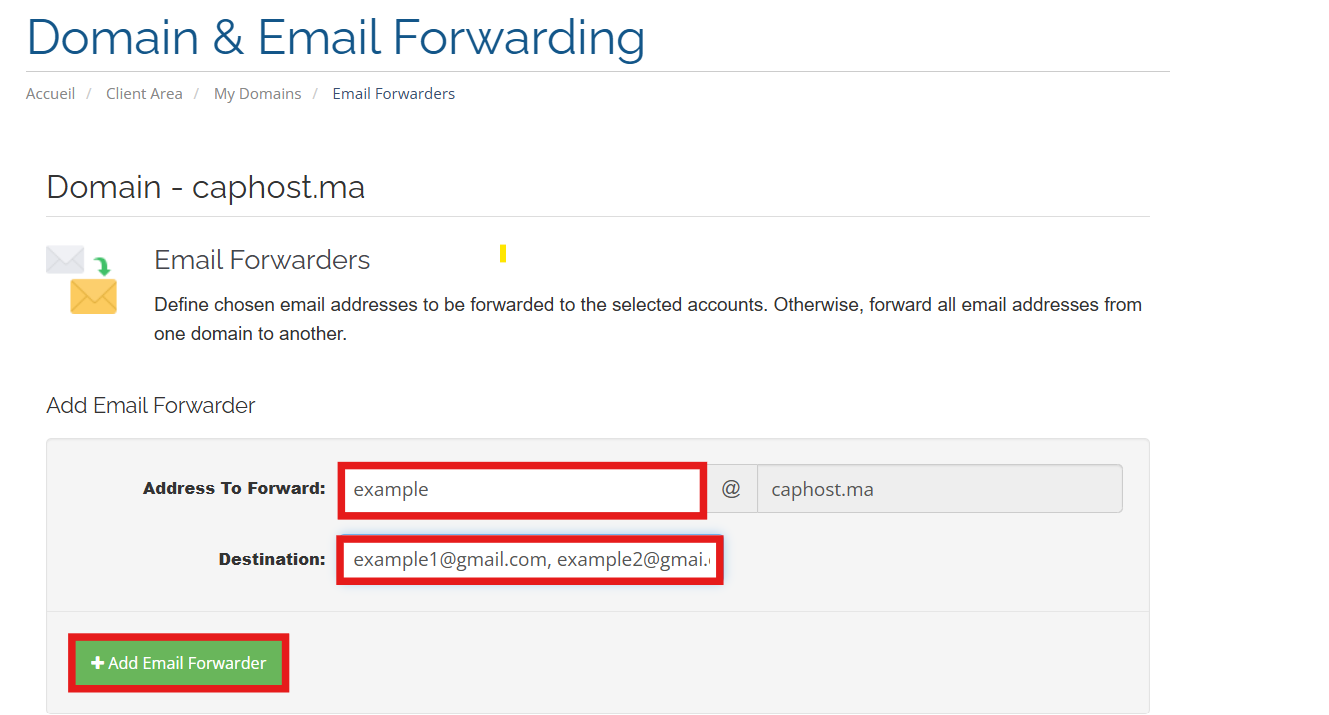
click on “+Add Email Forwarder” to save your settings.
Email Domain Forwarders
You can also forward all emails sent to one domain to another domain. This means that every email addressed to any mailbox at the original domain will be redirected to the destination address.
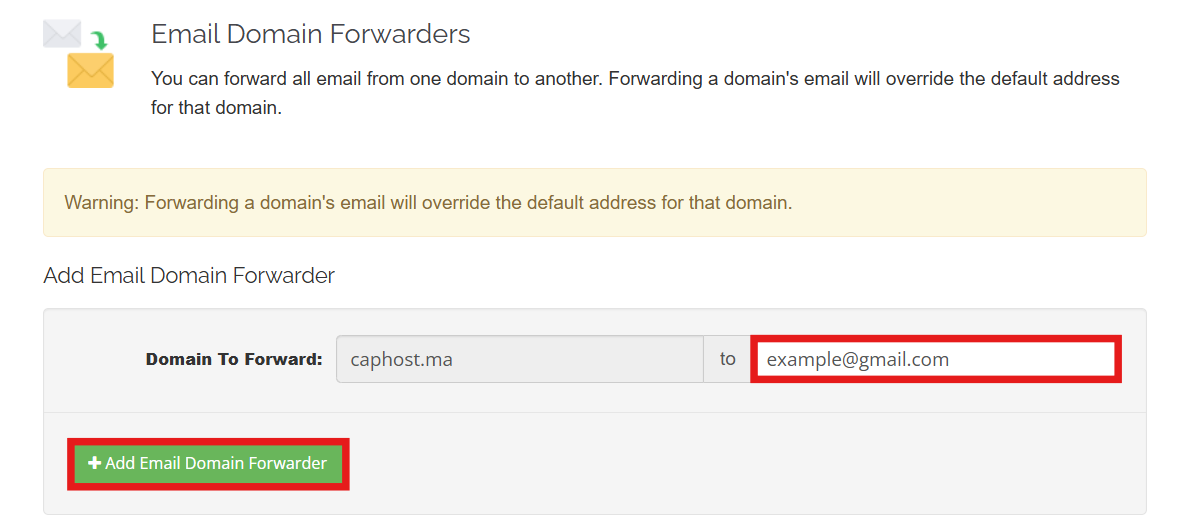
Important: Enabling domain-wide forwarding will override the default email address for that domain. Any previously configured default email or individual forwarders may no longer receive emails.