Before you begin
Check the domain extension and the operation involved: changing the registrant, provider and account are different procedures.
You can manage an available domain transfer lock from your Client Area. A transfer lock restricts registrar transfers. It does not prevent every contact change, DNS change or security incident. NOTE: Availability depends on the extension and registrar. Check the options shown for your domain rather than assuming a universal feature. To manage the lock: 1. Sign in to your client area and clickDomains».
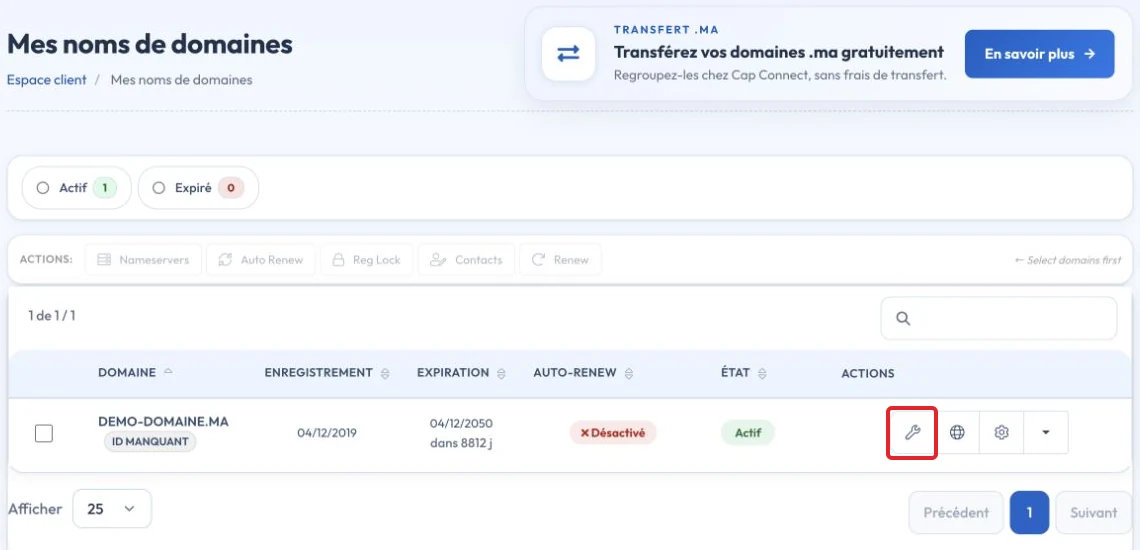
2. Open the domain you want to lock or unlock.
3. In the left menu, clickRegistrar Lock».

4. ClickDisable Registrar Lock if the domain is locked, orEnable Registrar Lockif it is unlocked.

Video tutorial
Key points
Conditions vary by extension and registry status. For generic extensions, some locks can prevent transfer, including a 60-day lock in certain situations. For .ma, follow the registry's procedure and confirm the required documents with CAP CONNECT.
Reference documentation:
- FAQs for Registrants: Transferring Your Domain Name - ICANN
- EPP Status Codes | What Do They Mean, and Why Should I Know? - ICANN
Sources accessed on October 11, 2026. Available features depend on your hosting version and options.