You can link your domain name to the youcan.shop platform easily using the CNAME method.
Table of Contents
What is youcan.shop?
It is an e-commerce platform that allows you to own a virtual store where you can market and offer your products and services. This platform provides you with several tools that not only help you launch your website but also target a new customer base.
How to link a domain name to youcan.shop using the CNAME method?
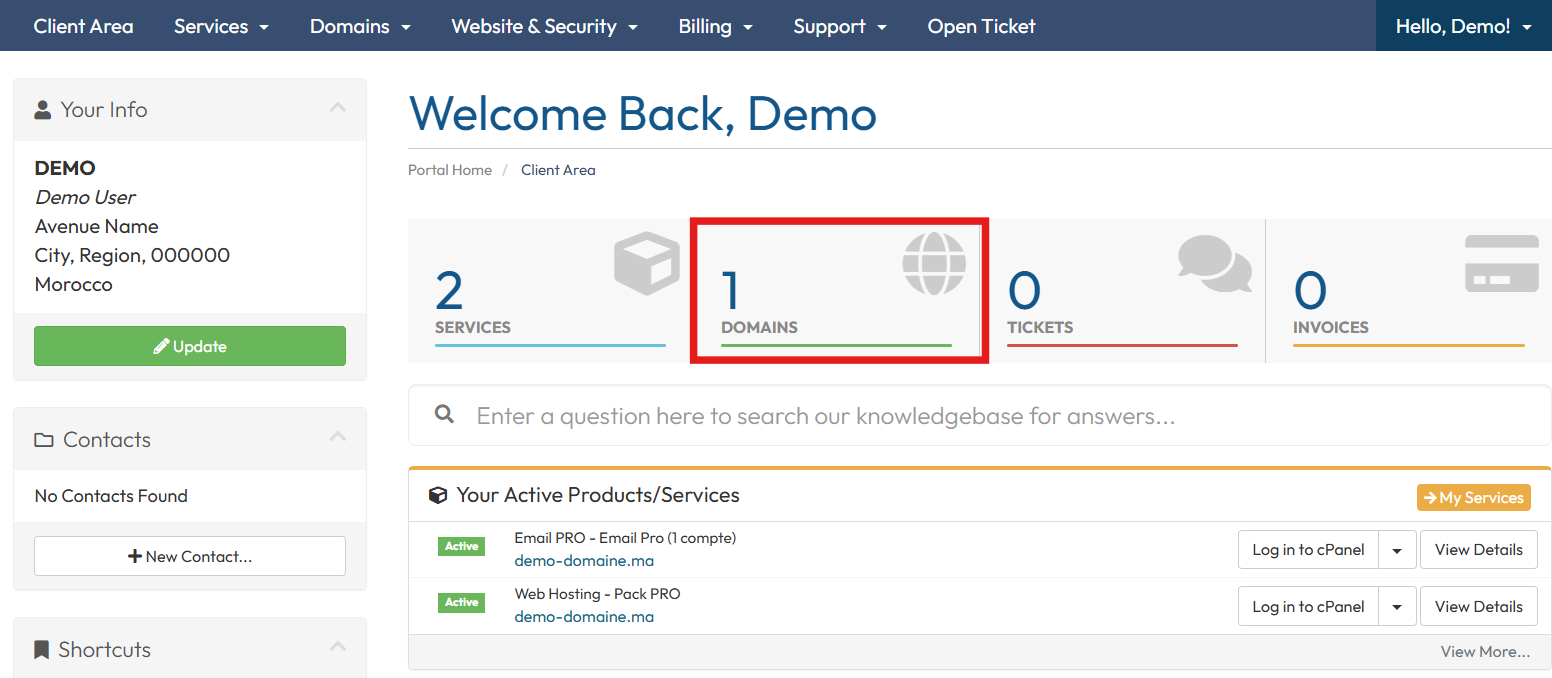
1- First, log in to your client area, then click on Domains.
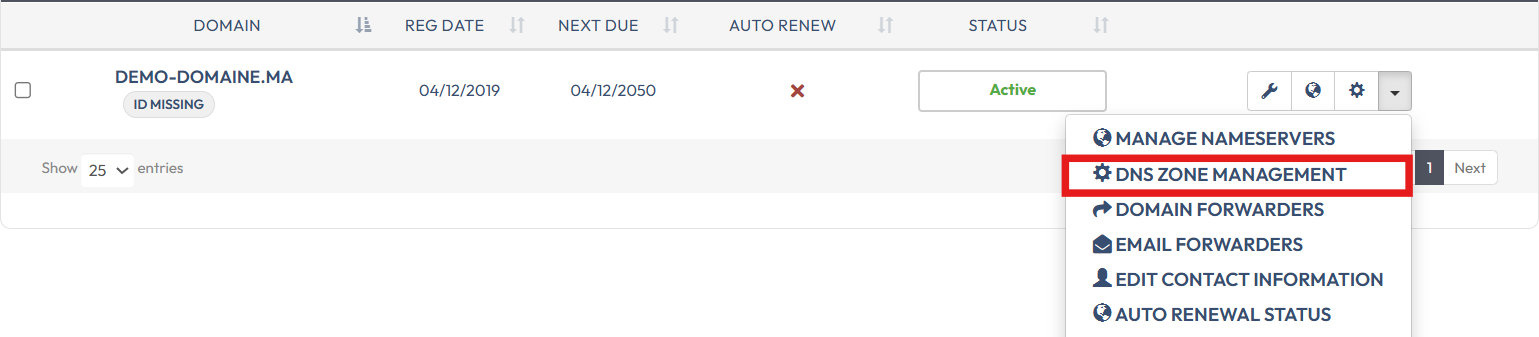
2- On the next page, click on the configuration icon next to the domain name.

Or, click on the menu on the right, then click on “DNS Zone Management”
3- Click on Yes, create DNS zone or Yes, create to create a new DNS zone for your domain name.
4- Scroll down to the Quick Setup section and click on Apply DNS Configuration
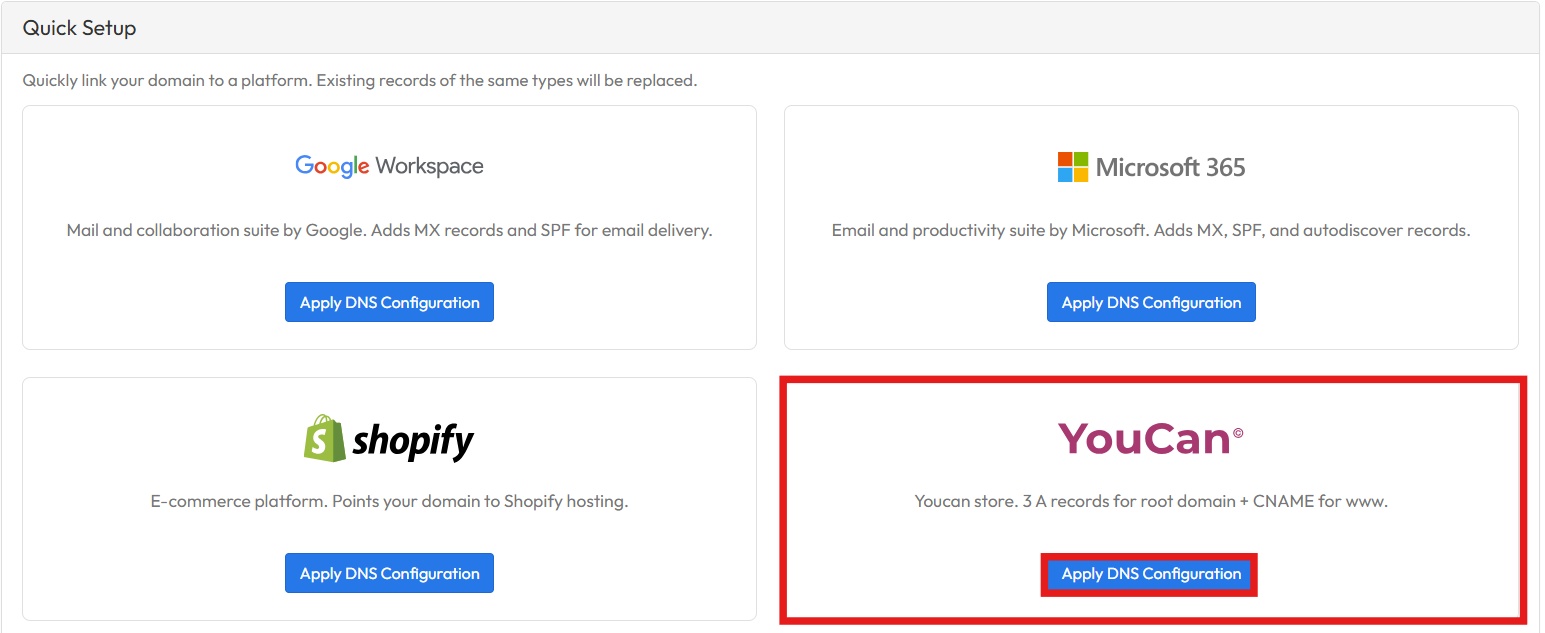
Your domain name is officially linked to the platform. DNS server propagation typically takes around 24 hours.
Other method?
Note: You can also link a domain name to youcan.shop using DNS servers.