To add a new contact to your client area or make changes to an existing one, follow these steps:
Table of Contents
Adding a New Contact
1. Log in to your client area.
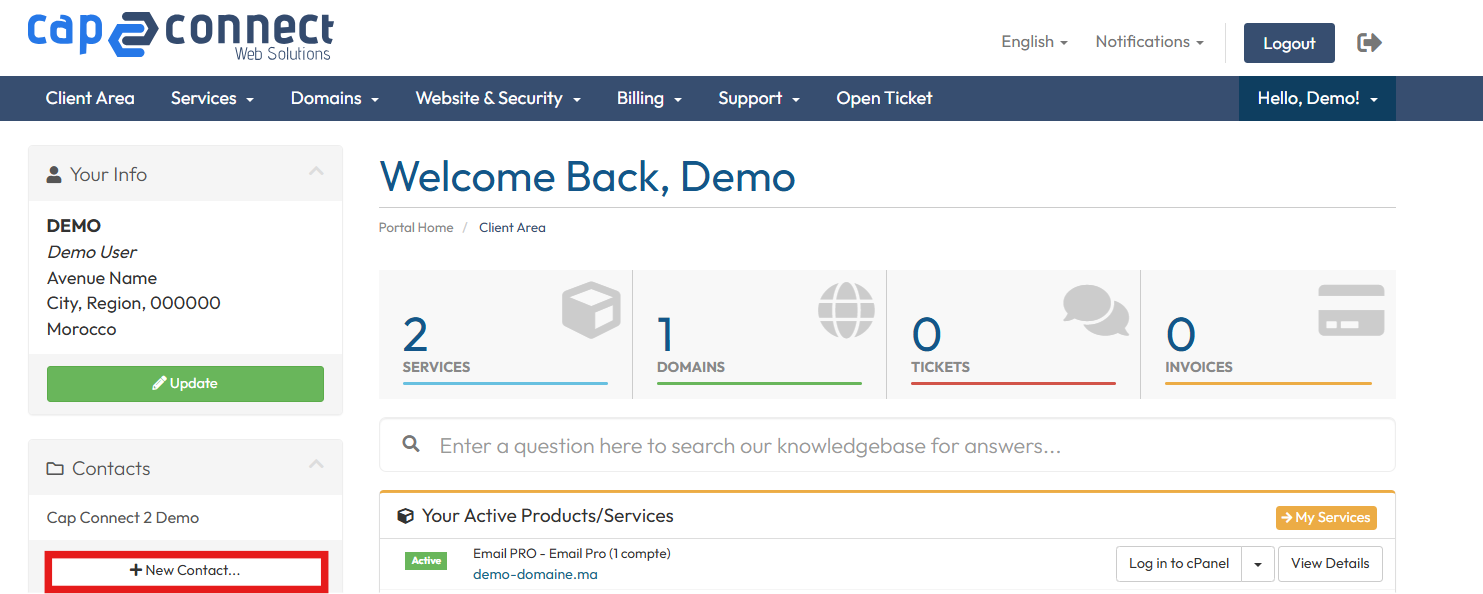
2. From the “Contacts” menu on the left, click on the “New Contact” button.
3. On the displayed page, fill in all the required information.
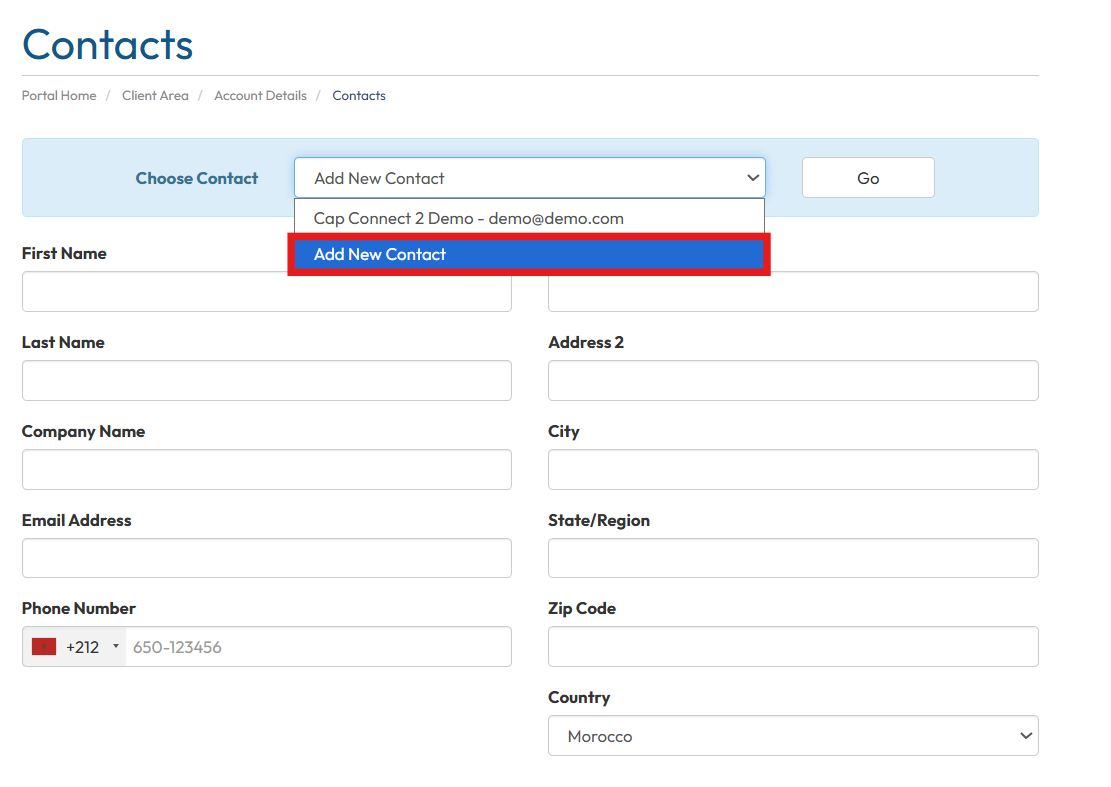
4. Choose the permissions you wish to assign to the new sub-account.
5. Click “Save Changes” to add the new contact.
Editing an Existing Sub-Account
If you already have a sub-account (contact) and want to edit its details, proceed as follows:
1. Log in to your client area.
2. In the menu, click on the sub-account requiring modifications.
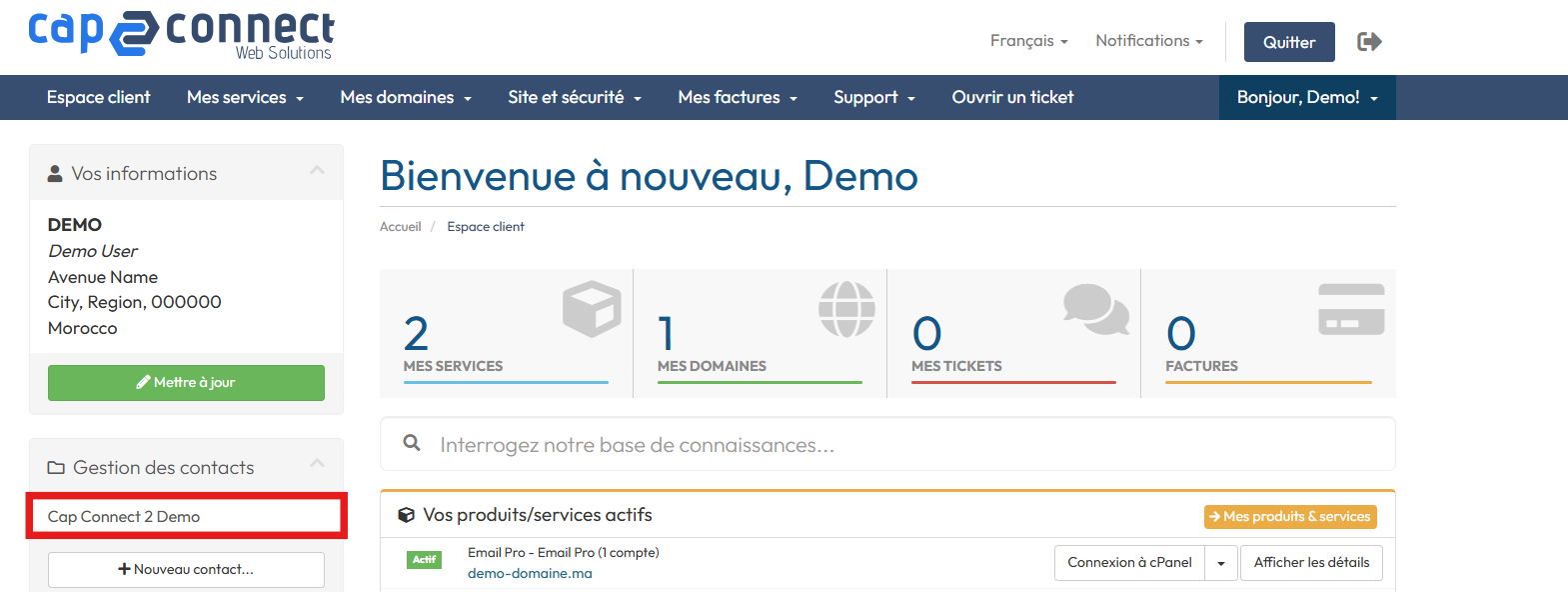
3. On the next page, you can update any details, including permissions and the sub-account password.
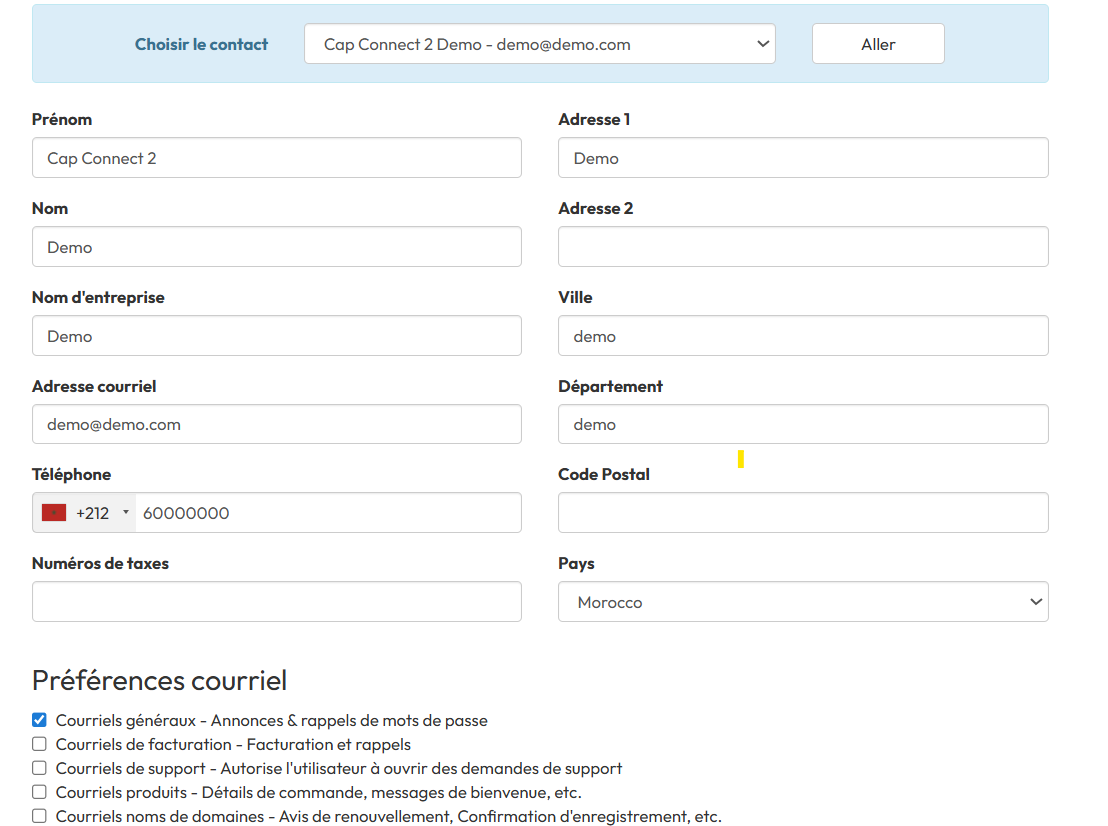
Make the required changes and save them to update the contact information.